QuickBooks error PS038
QuickBooks error PS038
A paycheck stuck “Online to Send” is blocking payroll.
Payroll will not send, and QuickBooks error PS038 names why: a paycheck is stuck with the status “Online to Send.” Every send tries to transmit that one paycheck, cannot finish, and blocks the batch. Find the stuck paycheck, toggle its online status, update payroll, and send again — that clears most cases. It is a transmission problem, not a books problem.
Last reviewed October 2026 by a Certified QuickBooks ProAdvisor
What this page is based on: Intuit’s own help article for this error (checked October 2026)
- A send problem, not a data fix
- Clear the one stuck paycheck
- We escalate only when it is more
Who this affects
This is about a stuck paycheck, not the books inside the file
PS038 shows up in QuickBooks Desktop Payroll when you go to send payroll or direct deposit and one or more paychecks are marked "Online to Send." That status means the paycheck was created for online transmission but never finished sending — usually a crash, a dropped internet connection, or a window closed mid-send left it flagged. Every time you send after that, QuickBooks tries to include the stuck paycheck, cannot complete it, and returns PS038. The rest of your payroll is generally fine; one paycheck is jammed in the queue, and it holds up the others. A lapsed or inactive payroll subscription can produce the same blocked-send symptom, so that gets checked too. Either way, this is about getting payroll to transmit, not about the accounting numbers themselves.
The jam, drawn
Read this as text
A payroll batch of three paychecks: two are ready, one is stuck with the status Online to Send. Every send tries to include the stuck paycheck, fails with PS038, and the whole batch stops — until the stuck paycheck's online status is toggled and the send completes. The pay amounts never change, only the flag resets. Illustrative.
Start here
PS038 — a stuck-paycheck fix, or something more?
A PAYCHECK IS FLAGGED ONLINE TO SEND
A stuck-paycheck fix
Toggle the stuck paycheck, update payroll, and resend — this clears most PS038 messages.
IT PERSISTS AFTER UPDATES AND A GOOD SUBSCRIPTION
Now look deeper
If PS038 survives updates, a reset paycheck, and an active subscription, the file or the payroll data may need a closer look.
See file repair
Read this as text
- A PAYCHECK IS FLAGGED ONLINE TO SEND: A stuck-paycheck fix — Toggle the stuck paycheck, update payroll, and resend — this clears most PS038 messages.
- IT PERSISTS AFTER UPDATES AND A GOOD SUBSCRIPTION: Now look deeper — If PS038 survives updates, a reset paycheck, and an active subscription, the file or the payroll data may need a closer look.
Fix it yourself
The DIY fix for PS038, step by step
Intuit gives one route for PS038: get ready, send your payroll data, find the paychecks stuck as Online to Send, verify and rebuild, then toggle any that remain. If the payroll update goes through at any point, you are done.
Back up and have your PIN ready
Back up the company file, have your payroll service PIN to hand, and make sure you can sync your data with Intuit's servers.
Update QuickBooks and the payroll tax table
Install the latest QuickBooks Desktop release. PS038 blocks payroll and tax-table downloads, so try the payroll update again after each step below.
Send your payroll data
Go to Employees, My Payroll Service, then Send Usage Data or Send Payroll Data, and select Send All; enter your PIN if asked. If the send fails, Intuit says to contact it for help.
Find the stuck paycheck
Go to Edit, Find, Advanced tab, set Online Status to Online to Send, and select Find to list paychecks not yet sent to Intuit. Then run Verify Data and Rebuild Data, and try the update again.
Toggle the paycheck's online status
If it still fails, open each stuck paycheck, add the same earnings item that appears last in its Earnings section, select No at the Net Pay Locked message, then delete the duplicate item and save.
Send your payroll data again
Send to Intuit again and enter your payroll PIN. Intuit says that once the stuck paychecks are toggled and the data rebuilt, the error should clear and tax tables should download.
Intuit's own fix for PS038, in Intuit's order
Intuit's own article (updated 8/5/2026, checked November 2026), in its order. It gives one route and does not split the fix by what you were doing. PS038 means paychecks are stuck as Online to Send, which blocks payroll and tax-table downloads.
- Prepare: update QuickBooks Desktop, back up the company file, have your payroll service PIN ready, and make sure you can sync your data with Intuit's servers.
- Send the data: Employees → My Payroll Service → Send Usage Data (or Send Payroll Data), then Send All. If it goes through, try the payroll update again; if not, Intuit says to contact it for help.
- Find the stuck paychecks: Edit → Find, Advanced tab, filter Online Status set to Online to Send.
- Verify and rebuild the data, then try the update again.
- If it remains, toggle each stuck paycheck: open it, add the same earnings item that appears last in its Earnings section, select No at the Net Pay Locked message, then delete the duplicate item and save.
Intuit's stated result: once the stuck paychecks are toggled and the data is rebuilt, the error should clear and the tax tables should download.
When to call us
When PS038 is more than a stuck paycheck
If PS038 still blocks your send after you have run QuickBooks as administrator, updated the tax table, confirmed an active subscription, and reset the flagged paycheck, the simple stuck-paycheck cause has been ruled out. At that point the payroll data inside the file, or the company file itself, may need a closer look — a paycheck that will not reset, or damage that keeps the send from completing. We verify what is actually holding the send, working from a copy so your live file and your payroll records are never put at further risk while we find out. If what fails is the update rather than the send, that is error 15271; if the installer errors out while you repair or reinstall QuickBooks along the way, see error 1603.
When the cause is Intuit-side
When it is the payroll service, not your file
Some PS038 messages are not about your paycheck at all — they come from the payroll service connection: an account, billing, or transmission issue on Intuit's side. If your subscription is active, your file is healthy, and the send still fails, that is a payroll-account or service matter for Intuit's official channels, which can see your account and the service status. For Intuit's own guidance on PS038 and to reach payroll support, use Intuit's official support.
After the error clears
If the stuck paychecks left your payroll out of step
Clearing QuickBooks error PS038 gets payroll sending again, but it does not reconcile your numbers. A paycheck that jammed mid-send, was toggled and resent, or was recreated can leave your wage totals and tax liabilities out of step with your books — and with what you have already filed on your 941 or reported on W-2s. Duplicated or missing paychecks, liabilities that do not match the returns, and direct deposits that posted twice are all bookkeeping problems, not send problems. Reconciling payroll back to the books and to the filed returns is a payroll cleanup, done in the numbers, not a fix in the send window. If that describes what the stuck paychecks left behind, that is where to look next.
See QuickBooks payroll cleanup for reconciling wages, liabilities, and returns after a payroll mix-up.
Two different jobs
Read this as text
Two kinds of work after PS038. In the send window: the stuck paycheck is reset, payroll is updated, and the batch transmits. In the books: wage totals, tax liabilities, and the filed 941 and W-2 totals still have to be reconciled if the stuck paychecks left them out of step. Unstuck is not reconciled. Illustrative.
How the PS038 fix is written up
Who’s responsible for your file
A Certified QuickBooks ProAdvisor handles your file from the review through the corrections to the hand-back — the same person throughout, never a rotating pool.
About QBSpecialist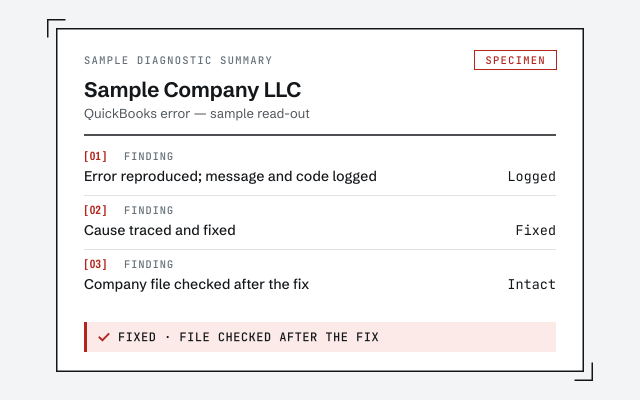 Illustrative example — not a client file.
Sample diagnostic summary
The written read-out that tells you whether it is a stuck paycheck, the subscription, or something deeper.
How we work
We confirm the cause on a copy before changing your file. See what a payroll cleanup involves.
See QuickBooks payroll cleanupResponse commitment
A written reply within one business day.
Questions about error PS038
What does error PS038 actually mean?
It means QuickBooks Desktop Payroll cannot send your payroll because a paycheck is stuck with the status 'Online to Send.' The service tries to transmit that paycheck, cannot complete it, and stops the whole send. It is a stuck-paycheck or payroll-connection problem, not a problem with the numbers in your books.
How do I fix PS038 quickly?
Update QuickBooks and your payroll tax table, then find the paycheck flagged 'Online to Send,' open it, and toggle its online status off and back on to reset it. Send your payroll data again. Clearing the one stuck paycheck resolves most PS038 cases without touching any other pay.
Why is a paycheck stuck as Online to Send?
Usually a direct-deposit or online paycheck was created, then interrupted before it finished sending — a crash, a lost connection, or a closed window. QuickBooks keeps the paycheck flagged as still needing to go online, so every later send tries to include it and fails with PS038 until the flag is cleared.
Is PS038 a problem with my payroll subscription?
It can be. If no paycheck is stuck, confirm your QuickBooks Desktop Payroll subscription is active and your account details are current, because an inactive or lapsed subscription blocks sending too. If the subscription is active and a paycheck is still stuck, it is the paycheck, not the plan.
Will fixing PS038 correct my payroll numbers?
No. Clearing PS038 lets payroll send again, but it does not reconcile your wages, tax liabilities, or filed returns. If the stuck paychecks left your payroll out of step with your books or your 941 and W-2 totals, that is a separate bookkeeping cleanup — the numbers need to be reconciled, not just unstuck.
Will my employees still get paid while PS038 blocks the send?
Not by direct deposit — nothing transmits until the send completes, so a blocked send close to payday is urgent. If the deadline is tight, clearing the stuck paycheck is the fastest route. As a stopgap, employees can be paid by paper check and the records trued up once sends resume — just record those checks so payroll stays reconcilable.
- Error OL-301— a bank-feed error on the same file
- Error OLSU-1013— the bank-login error from Online Banking
Not sure how bad it is?
Talk to a QuickBooks specialist.
Describe the file and a specialist will tell you which of these you are dealing with — including when the answer is that you don't need us.