Answer
Is QuickBooks Live worth it?
Often, yes — when your books are in QuickBooks Online, your operations are simple, and Intuit's cleanup reach of up to 20 months covers the backlog. Intuit's Full Service Bookkeeping starts at $300/mo after an initial cleanup fee. It is the wrong fit for Desktop or Enterprise files, longer catch-ups, inventory, job costing, AR/AP cleanup or multi-entity books.
Choosing between Live and your own bookkeeper? Live or an independent bookkeeper: who owns the books.
Last reviewed October 2026 by a Certified QuickBooks ProAdvisor
What this page is based on: Intuit’s own pages for Expert Full Service Bookkeeping, Expert Cleanup and Expert Assisted (checked October 2026), and our reconciliation-first methodology
- Intuit's facts, quoted and sourced
- We say when Live fits better
- The same person throughout
The short answer
What decides it: your product, your backlog, your complexity
Three facts about your file decide whether QuickBooks Live is worth it. If it is in QuickBooks Online, the backlog is under about 20 months, and the work is ordinary categorizing, reconciling and month-end reports, Intuit's Full Service Bookkeeping covers it at a published starting price. If any of the three points the other way, the work falls outside what Intuit sells, and an independent specialist is the better fit.
- Worth it when
- QuickBooks Online, simple operations, a backlog Intuit's cleanup can reach (up to 20 months)
- Not the fit when
- Desktop or Enterprise, a longer catch-up, inventory, job costing, multi-entity or AR/AP cleanup
- Intuit's price
- Full Service starting at $300/mo after initial cleanup fee; Expert Cleanup as low as $600 (checked October 2026)
- What neither does
- Gives tax advice or files your returns — both hand the books to your CPA
- Who works your file
- Full Service: a dedicated bookkeeper, per Intuit. Expert Assisted: coaching only, no work in your books
- To compare fairly
- Get both quotes in writing for the same months, accounts, tasks and reports
The honest answer: worth it for some files, not all
QuickBooks Live is worth it when the job you need done is the job Intuit sells: ongoing bookkeeping in QuickBooks Online, with a cleanup of the recent past first. It is not worth it when the job is something Intuit excludes or does not reach — and Intuit is unusually clear about where that line sits, which makes the decision easier than most comparisons.
The useful question is not "is Live good?" but "is my work inside Live's scope?" Intuit's Full Service Bookkeeping covers categorizing transactions, reconciling accounts every month, closing the books, a trial balance and monthly reports, with a dedicated bookkeeper and an initial cleanup of up to 20 months. If that describes everything your books need, Live is a sensible, published-price option, and we will say so. If your file is on QuickBooks Desktop, years behind, or carries inventory, job costing or receivables that never matched, the work you need sits outside that list — and paying a subscription will not make it appear.
What QuickBooks Live is now: three Intuit Experts services
QuickBooks Live is Intuit's own bookkeeping service. Intuit now sells it under Intuit Experts names, and the three services do very different amounts of work, so the first step is knowing which one a price or a review refers to.
Expert Assisted is a monthly subscription for guidance: answers on categorizing, reconciling and reporting, coaching on payroll and 1099 topics, and callbacks. Intuit says plainly that the Expert Assisted bookkeeping expert will not work in your books. Expert Full Service Bookkeeping is the done-for-you service: a dedicated QuickBooks-certified bookkeeper categorizes your transactions, reconciles your accounts each month, can close your books and prepare a trial balance, and sends monthly reports. If your file already has data, Intuit says the bookkeeper cleans it up in the first month — up to 20 months of past books — and that a typical cleanup is complete within 30 days of receiving your documents. Expert Cleanup is a one-time cleanup that delivers a profit and loss, balance sheet, trial balance and general ledger, with a review session; Intuit describes a bookkeeping team doing the work.
| Expert Assisted | Expert Full Service Bookkeeping | Expert Cleanup | |
|---|---|---|---|
| What it is | Monthly coaching and answers | Ongoing bookkeeping done for you | A one-time cleanup |
| Works in your books | |||
| Monthly reconciliation | |||
| Cleanup of past months | Up to 20 months, in the first month | Priced by the number of months | |
| Who does the work | You, with guidance | A dedicated QuickBooks-certified bookkeeper | A bookkeeping team |
| Intuit's published price | See Intuit's pricing details | Starting at $300/mo after initial cleanup fee | As low as $600 |
| Tax advice or filing |
Prices and plan details are Intuit's and they change; check Intuit's Full Service Bookkeeping page and its pricing details before you rely on a number. Intuit lists its bookkeeping experts as available Monday–Friday, 6 AM–6 PM PT.
The decision, in one picture
What the answer actually turns on
Read it down: QuickBooks Online books with a backlog Intuit can reach and ordinary operations make Live worth a look; Desktop, a longer catch-up or real complexity are worth an independent specialist.
Is QuickBooks Live worth it?
Read this as text
One question — what your file needs — splits two ways: QuickBooks Online books with simple operations and a backlog within Intuit's cleanup reach of up to 20 months can fit QuickBooks Live, where a dedicated Intuit bookkeeper reconciles and closes each month; Desktop or Enterprise files, catch-ups longer than 20 months, or real complexity such as inventory, job costing or several entities are worth an independent specialist working to a fixed written scope. An illustrative decision guide, not a measured statistic.
Straight from Intuit
What QuickBooks Live does not include
The clearest way to judge whether Live is worth it is Intuit's own exclusion list. On its Full Service Bookkeeping page Intuit says the service does not include:
- sending invoices or paying bills;
- managing inventory, accounts receivable or accounts payable;
- financial advisory services or tax advice;
- filing income or sales tax returns, or creating and sending 1099s;
- managing payroll — Intuit sells Expert Full Service Payroll separately, for an additional cost.
Intuit's service page adds specialized accounting — GAAP or full accrual accounting, multi-currency, foreign currency and crypto — and third-party app setup and integration to what its bookkeepers do not cover. If the reason you are looking for help is on this list, QuickBooks Live is not the answer to that reason, whatever it costs.
When the answer is yes
Who QuickBooks Live is right for
QuickBooks Live is worth it when your books are in QuickBooks Online, the business runs on ordinary transactions — sales, expenses, a handful of bank and card accounts — and what you want is someone to categorize, reconcile and close each month and send you the reports. If the file is a few months to a year or so behind, Intuit's initial cleanup is built for exactly that, inside its 20-month reach.
It also fits when a published price and the convenience of staying inside Intuit are doing real work in your decision. Nothing needs connecting, the bookkeeper already works in the product you use, and Intuit advertises guaranteed accurate books, on its own terms. For a simple, current or nearly current QuickBooks Online business that wants the month reconciled without hiring and managing a person, that is a smart, defensible choice — and when your file looks like this, we will point you to Live.
When the answer is no
Who QuickBooks Live is wrong for
Live is the wrong fit when the work you need sits outside Intuit's scope. The common cases: the file is on QuickBooks Desktop or Enterprise, which Intuit's Expert services do not describe; the books are more than about 20 months behind, past Intuit's cleanup reach — that is a multi-year catch-up; or the business carries inventory, job costing or class tracking, several entities, or receivables and payables that have not matched in a long time, all of which Intuit lists as excluded or does not mention.
It is also the wrong fit when you need a fixed written scope and a change log your CPA can trace line by line, or when the person who reconciles your file should be the same person who answers your questions about it a year from now. That is where an independent QuickBooks bookkeeping engagement earns its place, and where a side-by-side of QuickBooks Live vs. an independent bookkeeper usually tips to the independent side.
Compare like for like
A practical quote checklist
A monthly price only means something next to the work it buys. Before you compare QuickBooks Live with any independent provider, ask each to answer the same questions in writing:
- Which QuickBooks product and subscription does the price assume, and who pays for it?
- Which months, accounts and opening balances will be reviewed or reconciled — and what happens past the cleanup limit?
- Does the price include the initial cleanup, monthly categorizing, reconciliations and reports, or only some of these?
- Which items cost extra or are excluded — payroll, inventory, sales tax, 1099s, historical corrections, migration?
- What evidence and hand-back will you receive, and how are differences that cannot be resolved written up?
- Who is your contact, how is access granted and removed, and what are the cancellation and data-return terms?
Two written answers to the same six questions tell you more than any review. For the full scope comparison, see QuickBooks Live vs. an independent bookkeeper; for the credential question, see QuickBooks Live vs. a ProAdvisor.
Straight talk
How we compare — and when we say use Live
We are an independent QuickBooks practice, not Intuit and not a reseller, so we gain nothing by steering you either way. On price, Intuit's published entry point is lower than ours: its Full Service starts at $300/mo after an initial cleanup fee, and our monthly bookkeeping starts at $400/mo, with cleanup projects from $1,500. If your file is inside Live's scope and price decides it, Live may serve you well, and there is no honest reason to talk you out of it.
Where we earn the difference is the work Live does not sell: Desktop and Enterprise files, multi-year catch-up, inventory, job costing, class tracking, multi-entity books and receivables or payables cleanup — done to a fixed written scope, with every change in a log your CPA can trace, by the same Certified QuickBooks ProAdvisor from the review to the hand-back. Our methodology is published so you can check how we work before you hire anyone, and a free QuickBooks review gives you a straight recommendation for your actual file — even when that recommendation is Live.
"QuickBooks" is used here descriptively to name the software we work in. For official product support, billing, or account access, use Intuit's official channels.
What our QuickBooks Live verdict rests on
You don't have to take our word for it. Here's what you can check — a neutral recommendation you keep, the method behind it, and our response commitment.
Who’s responsible for your file
A Certified QuickBooks ProAdvisor handles your file from the review through the corrections to the hand-back — the same person throughout, never a rotating pool.
About QBSpecialist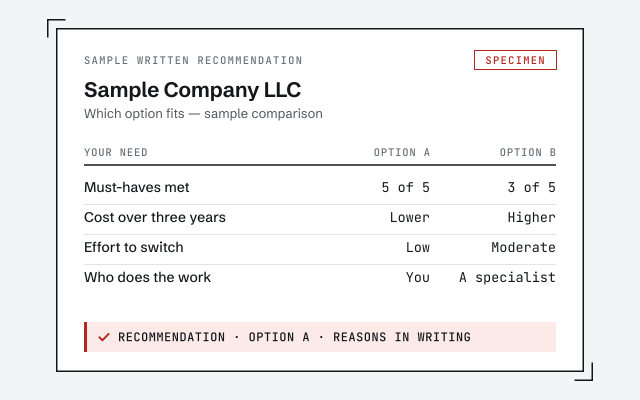 Illustrative example — not a client file.
A written, neutral recommendation
The plain-language write-up of whether your file is better served by QuickBooks Live or an independent specialist — yours to keep whether or not you hire us.
Our methodology
How we reconcile every account to its statement and prove it. Read exactly how.
Read the full methodResponse commitment
A written reply within one business day.
Remote-first, nationwide
Mon–Sat · 8am–6pm CT
We work entirely remote — a neutral read of your file and your needs, with every recommendation documented in writing.
- All 50 states
- Remote-first
- View-only review
Questions about whether QuickBooks Live is worth it
What is QuickBooks Live now?
QuickBooks Live is Intuit's own bookkeeping service, now sold under Intuit Experts names. There are three services: Expert Assisted (on-demand coaching — Intuit says its expert will not work in your books), Expert Full Service Bookkeeping (a dedicated QuickBooks-certified bookkeeper categorizes, reconciles and closes your books each month, with an initial cleanup in the first month) and Expert Cleanup (a one-time cleanup). They are sold to QuickBooks Online subscribers.
How much does QuickBooks Live cost?
Intuit's own page lists Expert Full Service Bookkeeping as starting at $300/mo after an initial cleanup fee, and Expert Cleanup as low as $600, with prices that vary by the number of months cleaned up. Intuit keeps the full terms in its pricing details, and payroll is extra. Those figures are Intuit's, checked October 2026; confirm the current price on Intuit's site before you compare quotes.
Can QuickBooks Live clean up messy or years-behind books?
Up to a point. Intuit says Full Service Bookkeeping can clean up to 20 months of past books with a dedicated bookkeeper in the first month, and that a typical cleanup finishes within 30 days of receiving your documents. A file that is further behind, on QuickBooks Desktop, or carrying inventory, job costing or unreconciled receivables and payables needs work outside that reach.
Do I get the same bookkeeper every time with QuickBooks Live?
On Expert Full Service Bookkeeping, Intuit describes a dedicated QuickBooks-certified bookkeeper who manages your books and sends your reports. On Expert Assisted you get guidance and callbacks, not a bookkeeper working in your file. Ask Intuit — and any independent provider — who covers your file when that person is away.
What does QuickBooks Live not include?
Intuit lists the exclusions itself: Full Service Bookkeeping does not include sending invoices, paying bills, or managing inventory, accounts receivable or accounts payable, and it does not include tax advice, filing income or sales tax returns, creating or sending 1099s, or managing payroll (payroll is a separate paid service). Intuit also excludes specialized accounting such as GAAP or full accrual, multi-currency and crypto, and third-party app setup.
Does QuickBooks Live work with QuickBooks Desktop?
Intuit sells its Expert bookkeeping services to QuickBooks Online subscribers — you subscribe by signing in to your QuickBooks Online account — and its pages describe no Desktop or Enterprise version. A Desktop or Enterprise file needs an independent specialist who works in that product, or a migration to QuickBooks Online first.
Does QuickBooks Live replace an accountant?
No. It is bookkeeping: categorizing, reconciling, closing the month and producing reports. Intuit says its bookkeepers cannot give tax advice specific to your business or prepare and file your taxes, and neither do we. Both hand clean books to your CPA or tax preparer.
Is QuickBooks Live worth it for a small business?
Often, yes, when the business runs on QuickBooks Online, the operations are simple, the backlog is inside Intuit's 20-month cleanup reach and none of the excluded work is the reason you need help. It is worth less when the work you need is on Intuit's exclusion list or outside its reach. A free, view-only review tells you which side your file is on, in writing.
- Do I need a bookkeeper or accountant?— what Intuit's bookkeepers do and what still needs a CPA
- How many years back can books be caught up?— Intuit's cleanup reaches back 20 months; this is when you need more
- Should I switch to QuickBooks Online?— Intuit's service is for QuickBooks Online only
Not sure how bad it is?
Talk to a QuickBooks specialist.
Describe the file and a specialist will tell you which of these you are dealing with — including when the answer is that you don't need us.