Skip to content
QB Specialist

QuickBooks Online vs Desktop

QuickBooks Online vs Desktop: which is right?

Neither product is universally better — it depends on your business. QuickBooks Online runs in any browser, collaborates live, and updates itself; QuickBooks Desktop installs on one machine, works fully offline, and still has deeper inventory and batch tools. Pick the one that holds more of your must-haves, and if you do switch, the work is to move the data and prove it reconciles to the old file.

Last reviewed July 2026

  • An honest, neutral comparison
  • No pressure to switch
  • A senior specialist, not a pool

The short answer: it depends on how you work

There is no single winner between QuickBooks Online and QuickBooks Desktop — the right choice depends on how your business actually works. If you need to reach your books from anywhere, collaborate with an accountant in real time, and never think about updates, Online fits. If you need to run fully offline, key data in batches, and lean on mature inventory or job costing, Desktop still earns its place.

That answer frustrates people who want to be told which one to buy, but it is the honest one. The two products are built on different assumptions — one is a cloud service you rent and reach through a browser, the other is software you install and a file you own — and each assumption is a strength for some businesses and a liability for others. The rest of this page lays out exactly where they differ so you can match the differences to your own situation, rather than to a marketing claim about which is “the future.”

Side by side

How QuickBooks Online and Desktop actually differ

The two products diverge on four things that matter: where your data lives and how you reach it, what each does well, how they are priced, and who each suits. Read the table by your own must-haves — the row that decides it for you may not be the one that decides it for someone else.

QuickBooks Online vs. QuickBooks Desktop — access, features, cost model, and who each suits
QuickBooks Online QuickBooks Desktop
Access model Cloud — any browser, anywhere Installed on a Windows PC, or hosted
Where your data lives On Intuit's servers In a local company file you hold
Works fully offline
Automatic updates & backup Manual, or via a hosting provider
Multi-user access Included by plan tier, browser-based User licenses, shared network or hosting
App & integration ecosystem Large, cloud-native marketplace Fewer, more limited connections
Advanced / assembly inventory Standard, improving by plan Mature, deepest in Enterprise
Industry-specific editions
Cost model Monthly per-company subscription Yearly subscription (once a license)
Ongoing service life Continuous while subscribed Each version retires ~3 yrs after release
Best suits Remote, collaborative, app-driven work Offline, inventory-heavy, single office
Verdict Access, collaboration, updates Depth, offline control, inventory

Who QuickBooks Online suits best

QuickBooks Online suits businesses that value reach and collaboration over local control — teams working from more than one place, owners who want their bookkeeper in the same file at the same time, and anyone who would rather never manage a backup or an update again.

Because the file lives in the browser, an Online business can pull up its books from a laptop at home, a phone on a job site, or an accountant's office three states away, all at once and all on the same live data. It plugs into a large ecosystem of apps — payment processors, e-commerce platforms, expense tools, time trackers — that pass data in automatically, which is where a lot of Online's practical value comes from. Updates and server backups are Intuit's problem, not yours. If your business is distributed, app-driven, and collaborative, those are exactly the strengths you want, and they are the ones Desktop cannot fully match.
Who QuickBooks Desktop still suits

QuickBooks Desktop still suits businesses that need offline control, heavy batch data entry, or the deep inventory and job-costing tools that live in Desktop — especially Enterprise. For those workflows, Desktop is not a legacy compromise; it is genuinely the stronger product.

A single-location business with unreliable internet, a bookkeeper who enters transactions in fast keyboard-driven batches, or a manufacturer that relies on assembly builds and advanced inventory valuation will often find Desktop simply does more of what they need, faster. The company file is theirs, on their own machine, running whether or not the internet is up. Industry-specific editions — contractor, manufacturing and wholesale, nonprofit, and others — add reports and tools that Online does not carry. The honest position is that plenty of these businesses have no pressing reason to move, and we will say so; the caveat is the direction of travel, which the next section covers.

How the two cost models differ

The difference is the shape of the cost, not just the size. QuickBooks Online is a monthly per-company subscription priced by plan tier; QuickBooks Desktop was historically a one-time license you bought outright, but it is now sold to most businesses as a yearly subscription as well. Comparing them fairly means comparing models, not stickers.

A real comparison has to fold in the extras. On Online, higher plan tiers, additional users, and connected payroll or apps all move the monthly figure. On Desktop, the yearly subscription, per-seat user licenses, and — if you want remote access — third-party hosting all add up, and an aging version eventually forces an upgrade to stay serviced. Because both totals depend so heavily on your own add-ons and user count, we do not publish a headline price for either here; what actually drives the number for a move between them is laid out on the QuickBooks Desktop migration cost page, and every figure there stays tied to your file rather than a fixed rate.

What Intuit's shift to Online means for the choice

Intuit has plainly moved its focus to QuickBooks Online, and that direction should inform the decision even though Desktop still works today. New Desktop subscriptions are no longer sold to most new U.S. businesses, and each annual Desktop version stops receiving payroll, payments, and security updates roughly three years after its release.

Read that carefully: it is a trend, not a single doomsday date, and we will not invent one. Your existing Desktop file does not stop opening the day a version ages out — but the services bolted onto it, and the security patches behind it, do wind down on that rolling schedule. So the practical question for a Desktop business is less “does it still work” and more “how long will the version I rely on stay fully serviced, and do I want to move on my own timeline or on a forced one.” That is a reason to plan, not to panic, and it is why many long-time Desktop users end up choosing Online eventually — a question of when, not whether.

If you decide to switch

The migration path if you move to Online

If the comparison tips you toward Online, the switch is a data migration, and it runs the same four stages every migration does: read the source, map it to the destination, validate the converted result against the old file, then cut over. Nothing goes live until it has been proven to reconcile.

The switch, stage by stage

How a switch from Desktop to Online runs: source, mapping, validation, cutover Four stages left to right. Stage 1, Source: your QuickBooks Desktop file, the source of truth. Stage 2, Mapping: lists, balances, and history are mapped and converted to QuickBooks Online. Stage 3, Validation: the converted file is reconciled to the Desktop file and proven to tie — the stage marked with a verified tick. Stage 4, Cutover: you go live in QuickBooks Online. The flow runs from a reconciled Desktop file to a reconciled, live Online file. STAGE 1 STAGE 2 STAGE 3 STAGE 4 Source Mapping Validation Cutover DESKTOP MAP & CONVERT RECONCILE GO LIVE Your Desktop file Lists, balances, history Prove it reconciles Live in QuickBooks Online SOURCE OF TRUTH RECONCILED & LIVE
A switch to Online runs source to cutover, but the load-bearing stage is validation: the converted file is reconciled back to the Desktop file and proven to tie before anyone goes live. Illustrative of the process, not a fixed timeline.

The part that separates a safe switch from a risky one is that validation stage. Lists, balances, and most transaction history carry across, but Online handles some things differently — inventory costing, certain report layouts, memorized transactions, and some payroll detail — so we map exactly what changes for your file before we move it. Then we reconcile the converted file back to the Desktop original, to the penny, and only cut over once it ties. The full move is covered on the QuickBooks Desktop to Online migration page and the broader QuickBooks migration hub; the reconciliation-first checking that proves it landed correctly is spelled out in our methodology.

Weigh your must-haves

The edge cases that change the answer

A few specific needs can settle the whole decision on their own, no matter how the rest of the table reads. If one of these is core to your business, weigh its row far more heavily than the others.

Which drivers pull which way

Which business needs lean toward QuickBooks Online versus Desktop Two columns of decision drivers. Leaning toward QuickBooks Online: access from anywhere, real-time collaboration, automatic updates and backup, a large app ecosystem, and simple multi-user access. Leaning toward QuickBooks Desktop: advanced or assembly inventory, an industry-specific edition, full offline operation, batch-heavy data entry, and a single-location power user. The method is to count which side holds more of your must-haves. Illustrative decision aid, not a scored formula. LEANS ONLINE LEANS DESKTOP Access from anywhere Real-time collaboration Automatic updates & backup A large app ecosystem Simple multi-user access Advanced / assembly inventory An industry-specific edition Full offline operation Batch-heavy data entry A single-location power user COUNT WHICH SIDE HOLDS YOUR MUST-HAVES
Neither column is a winner on its own; the decision is which side holds more of the needs you cannot compromise on — one non-negotiable driver can outweigh five conveniences. An illustrative decision aid, not a scored formula.

Inventory is the classic tiebreaker: if assembly builds and advanced valuation run your business, Desktop Enterprise still leads and can decide it outright. Reliable internet is another — no connection, no Online, full stop. An industry-specific edition you depend on for its reports may have no exact Online equivalent. Pulling the other way, a genuinely distributed team, or an accountant you want working live in your file, can make Online the only comfortable choice regardless of everything else. And if the honest finding is that your existing file is a mess, the right first move is often a cleanup before you decide anything — moving a tangled file just relocates the tangle.

Straight talk

How we help you decide — and when we say stay

We are a QuickBooks bookkeeping firm, not a reseller, so we have no stake in which product you land on — and that is exactly why our answer is sometimes “stay where you are.” If Desktop still does everything you need and your version is fully serviced, “you should switch eventually” is not the same as “you should switch today,” and we will tell you that plainly.

What we do is help you read your own must-haves against the table above, honestly, without a sales script pushing you toward the option that pays a commission. Sometimes the answer is Online now; sometimes it is Desktop for another year or two with a plan to move on your own timeline; sometimes it is clean up the file first and revisit the question with a book worth moving. If and when you do switch, the thing we actually add is the validation — proving the converted file reconciles to the old one before you trust it — which is the same reconciliation-first discipline behind everything else we do. Start with a free QuickBooks review and we will give you a straight recommendation, even when that recommendation is to do nothing yet.

How you can verify us

You do not have to take our word for it. Here is what you can check — a neutral recommendation you own, the method we use to prove a switch reconciled, and our response commitment.

A written, neutral recommendation

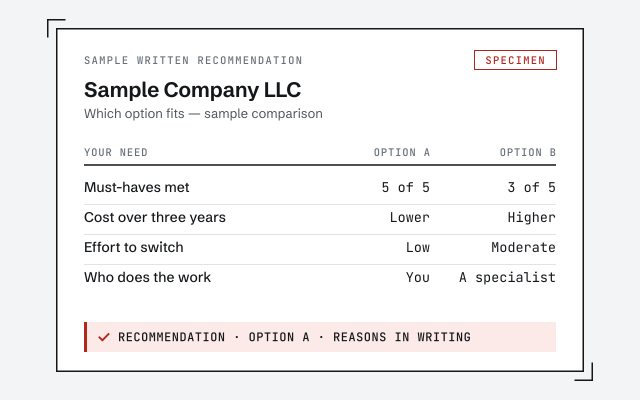
The plain-language write-up of which product fits your must-haves and why, yours to keep whether or not you hire us.

Our methodology

How we prove a converted file reconciles to the old one after a switch. Read exactly how.

Read the full method

Response commitment

A real specialist replies within one business day, in writing.

Remote-first, nationwide

Mon–Sat · 8am–6pm CT

We work entirely remote — a neutral read of your file and your needs, screen-share whenever you want to walk through the comparison, and every recommendation documented in writing.

  • Texas
  • Florida
  • California
  • New York

Questions about QuickBooks Online vs Desktop

Is QuickBooks Online better than Desktop?

Neither is universally better — it depends on how you work. QuickBooks Online wins on access, collaboration, and automatic updates; QuickBooks Desktop wins on offline control, batch-heavy data entry, and mature inventory and job costing. The right answer is whichever product holds more of your must-haves, not whichever is newer.

Is QuickBooks Desktop being discontinued?

Not all at once, but Intuit has clearly shifted its focus to QuickBooks Online. New Desktop subscriptions are no longer sold to most new U.S. businesses, and each annual Desktop version stops receiving payroll, payments, and security updates roughly three years after its release. Existing files keep working, but the long-term direction is toward Online.

Does QuickBooks Online do everything Desktop does?

No, and any honest comparison says so. Online has closed much of the gap and adds things Desktop never had, like true anywhere-access and a large app ecosystem, but Desktop still handles some inventory, job-costing, and batch workflows in ways Online does not fully replicate. Which gaps matter depends entirely on your business.

Is QuickBooks Online cheaper than QuickBooks Desktop?

It is a different cost model, not simply cheaper or dearer. Online is a monthly per-company subscription tiered by plan; Desktop was historically a one-time license but is now largely a yearly subscription too. The real cost comparison has to include add-ons, extra users, and hosting, so it is specific to your setup rather than a single sticker price.

Can I use QuickBooks Online offline?

Not in the way Desktop runs offline. QuickBooks Online needs an internet connection because the file lives on Intuit's servers and you work through a browser. Desktop keeps the company file on your own machine and runs fully offline. If reliable internet is a problem where you work, that difference alone can decide it.

Is my data safer in the cloud or on my own computer?

Both can be safe; the risk just moves. With Online, Intuit handles servers, backups, and updates, so you are trusting their infrastructure and your own password hygiene. With Desktop, the file is yours to protect, which means your own backups and machine security carry the whole load. Neither is automatically safer — they fail in different ways.

Can multiple people use QuickBooks at the same time?

Both allow it, differently. Online includes simultaneous browser access up to your plan's user limit, from anywhere. Desktop needs user licenses and either a shared local network or a hosting provider to let several people in at once. For a distributed team, Online is usually simpler; for a single office, Desktop's multi-user setup can be perfectly fine.

Should I switch from Desktop to Online?

Only if the move solves a real problem — remote access, collaboration, a dying Desktop version — rather than for its own sake. If Desktop still does everything you need and your version is still serviced, waiting is a legitimate choice. If you do switch, the work is to move the data and then prove the converted file reconciles to the old one.

Which is better for inventory, Online or Desktop?

Desktop, particularly Enterprise, still has the more mature inventory: assembly builds, advanced valuation, and detailed item history. QuickBooks Online has improved and covers standard inventory well, but heavy manufacturing or assembly workflows are where Desktop keeps an edge. If inventory is the heart of your business, weigh this row heavily.