QuickBooks error OLSU-1013
QuickBooks error OLSU-1013
Bank-feed setup won't complete? Start here.
A bank feed being set up or reactivated in QuickBooks Desktop fails partway — that is QuickBooks error OLSU-1013, an online-banking setup error. The connection could not be activated: usually an outdated release, a stale financial-institution list, a bank-side change, or an account not enabled for online access. It is a connection problem, not your books.
Last reviewed October 2026 by a Certified QuickBooks ProAdvisor
What this page is based on: Intuit’s own help article for this error (checked October 2026)
- A connection fix, not a data fix
- Update, then re-add the account
- We check what the feed left behind
Who this affects
This is about the bank connection, not what is in your books
You see OLSU-1013 when you are setting up, reactivating, or refreshing a bank feed in QuickBooks Desktop and the connection will not complete. The most common reasons are a copy of QuickBooks that is a release or two behind, a built-in bank list that has fallen out of date, a change the bank made to its own online-banking system, or an account the bank has not switched on for online access. None of these touch the transactions already in your company file — they sit between QuickBooks and the bank, on the connection itself.
Two sides of one error
Read this as text
The causes of OLSU-1013 split in two. On your side: a QuickBooks release that is behind, a stale financial-institution list, and a stale connection — fixed by updating and re-adding the account. On the bank's side: online access not enabled, a changed banking system, or a changed login — confirmed with the bank. Neither side touches the ledger. Illustrative.
Start here
OLSU-1013 — a setup fix, or something the bank controls?
YOU ARE BEHIND ON UPDATES OR JUST ADDING THE ACCOUNT
A setup fix
Update to the latest release and re-add the account — this refreshes the bank list and rebuilds the connection, which clears most OLSU-1013 messages.
YOU ARE CURRENT AND IT STILL FAILS
Check the bank side
If QuickBooks is up to date and the account still will not connect, online banking may not be enabled for that account, or the bank changed its setup. Confirm with the bank, and see the broader feed guide.
See bank-feed issues
Read this as text
- YOU ARE BEHIND ON UPDATES OR JUST ADDING THE ACCOUNT: A setup fix — Update to the latest release and re-add the account — this refreshes the bank list and rebuilds the connection, which clears most OLSU-1013 messages.
- YOU ARE CURRENT AND IT STILL FAILS: Check the bank side — If QuickBooks is up to date and the account still will not connect, online banking may not be enabled for that account, or the bank changed its setup. Confirm with the bank, and see the broader feed guide.
Fix it yourself
The DIY fix for OLSU-1013, step by step
Intuit's article does not split the fix by what you were doing. Its causes include a QuickBooks version it doesn't support and a bank whose details aren't updated in the Financial Institutions Directory in QuickBooks. Work these in order.
The fix, as states
Read this as text
The OLSU-1013 fix as four states: a setup that is behind, with an old release and a stale financial-institution list, is updated so the bank directory refreshes, the account is re-added so the connection is rebuilt clean, and the feed is tested until transactions download. Illustrative.
Update QuickBooks to the latest release
Install the latest QuickBooks Desktop release, then close and reopen the program. Intuit lists using a version of QuickBooks it doesn't support among the causes of OLSU errors.
Re-add the bank account
Turn off online banking on any inactive account still showing a lightning bolt, then refresh the affected account, holding Ctrl on each button during setup. If that fails, turn off online banking and set it up again for each connected account.
Confirm online banking at the bank
Sign in to your bank's own website and clear any pending alerts. Intuit notes the bank may have changed its service to Web Connect or Direct Connect, or have a problem with its servers.
Import a statement manually as a stopgap
If the feed still will not connect, download your transactions as a .qbo file from the bank's website and import it; QuickBooks only opens downloaded transactions in a .qbo file. If the file won't import, Intuit says to contact the bank.
Reconnect and test
Set the feed up once more and test a download. If errors remain, Intuit says to send your bank's support a copy of your Bank Feeds log.
Intuit's own fix for OLSU-1013, in Intuit's order
Intuit's Fix OL and OLSU Bank Feeds errors in QuickBooks Desktop (updated 8/5/2026, checked November 2026) covers OLSU-1013 in one sequence, not split by what you were doing, and lists the triggers: a problem with your bank, your internet connection, one or more bank accounts in your company file, a bank file that isn't compatible with QuickBooks, or a QuickBooks version Intuit doesn't support. In Intuit's order:
- Back up the company file, then work through Intuit's checks before any repair: match transactions already downloaded and waiting, clear alerts on the bank's own website, see whether the error repeats in Bank Feeds Classic Mode, and confirm that Windows firewall lets QuickBooks through.
- Check your QuickBooks version. An unsupported version is one of the causes Intuit names; QuickBooks Desktop 2023, for example, stopped receiving online bank feeds after May 31, 2026 (Intuit, updated 8/5/2026, checked November 2026).
- Test in a new company file: connect the same bank in a test company and run a download. Intuit reads an error there as a sign the problem sits with the bank. As a second test, import a .qbo file saved from the bank's website; if QuickBooks still can't open it, the bank's support is the next call.
- Clear stale connections: an inactive account that still shows the lightning bolt keeps its online banking set up; turn its online services off, then refresh the affected account, pressing Ctrl as you select each button in the setup (not while typing).
- Create and merge: create a new account with the same name and an asterisk at the end, then remove the asterisk and choose Yes when QuickBooks asks to merge the accounts; set up bank feeds once more and test a download. If the error survives that, switch online banking off and on again for every connected account and give your bank's support a copy of your Bank Feeds log.
Intuit adds that if the account can't be edited or merged, the company file may be damaged.
When it is more than the connection
When OLSU-1013 points to something in the books
QuickBooks error OLSU-1013 is itself a connection problem — but a feed that has been broken, or one that was quietly misbehaving before it broke, can leave a mess behind. If transactions have been downloading to the wrong accounts, duplicating, or piling up unmatched, fixing the connection only restarts a feed that was already causing harm. When you have worked the steps above and the account still will not connect, or you notice the feed had been off for a while, it is worth having the setup verified and the recent transactions reviewed. We check the connection and what the feed did to your books, so you are not left reconciling a backlog on your own. The download-side counterpart is error OL-301 — the feed failing after the account is already connected — and if the QuickBooks update the fix starts with will not install, that failure has its own guide in error 15271.
How the OLSU-1013 fix is written up
Who’s responsible for your file
A Certified QuickBooks ProAdvisor handles your file from the review through the corrections to the hand-back — the same person throughout, never a rotating pool.
About QBSpecialist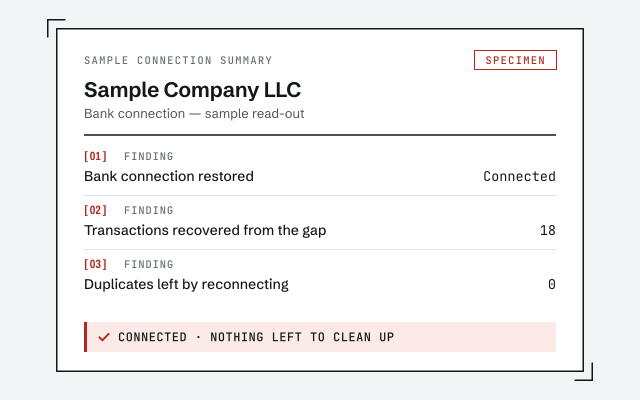 Illustrative example — not a client file.
Sample connection summary
The written read-out that tells you whether the setup is fixed and whether the feed left anything to clean up.
How we work
We verify the connection and review what the feed downloaded before it broke. See how a cleanup works.
See QuickBooks cleanupResponse commitment
A written reply within one business day.
Questions about error OLSU-1013
What does error OLSU-1013 actually mean?
OLSU-1013 is an online-banking setup error. QuickBooks Desktop could not set up or activate the connection between your company file and your bank, so bank feeds will not download. It points at the connection setup — an outdated release, a stale financial-institution list, a bank-side change, or an account not enabled for online access — not at the data inside your books.
How do I fix OLSU-1013 quickly?
Update QuickBooks Desktop to the latest release first, then close and reopen it. Updating refreshes the built-in financial-institution directory, which resolves many OLSU-1013 cases on its own. If it still fails, remove the account from Bank Feeds and set it up again so QuickBooks rebuilds the connection cleanly.
Is OLSU-1013 a problem with my company file?
Usually not. OLSU-1013 is about the online-banking connection, not the ledger. Your transactions, balances, and history are generally untouched. The exception is when a feed had been miscategorising or duplicating transactions before it broke — then the books may need a review even though the error itself is a connection issue.
Why would updating QuickBooks fix an online-banking error?
QuickBooks Desktop carries an internal list of the banks it can connect to and how. Banks change their online-banking systems periodically, and Intuit ships those changes in product updates. If your copy is behind, its list can be out of date — installing the latest release refreshes it, which is why updating clears many OLSU-1013 messages.
What if OLSU-1013 will not clear at all?
If you are on the latest release, have re-added the account, and confirmed with the bank that online banking is enabled and unchanged, the connection may be held up on the bank's side or need a manual import as a stopgap. That is the point to have someone verify the setup and check whether the feed left anything behind in your books.
Does OLSU-1013 affect QuickBooks Online?
No — OLSU-1013 is specific to QuickBooks Desktop's Bank Feeds setup. QuickBooks Online connects to banks through a different system, so its connection problems surface as different messages inside the Banking screen. If a bank connection is failing in QuickBooks Online, the setup steps here do not apply; start from the broader bank-feed issues guide instead.
- File repair— when the connection error points to a damaged company file
- Error 1603— an install error after reinstalling to clear the bank error
- Unrecoverable error— a crash that follows the connection attempt
- Error H202— a multi-user error on the same network
Not sure how bad it is?
Talk to a QuickBooks specialist.
Describe the file and a specialist will tell you which of these you are dealing with — including when the answer is that you don't need us.