A written, neutral recommendation
The plain-language write-up of which product fits your must-haves and why, yours to keep whether or not you hire us.
Sage vs QuickBooks
Neither product is universally better — it depends on your business. Sage, especially Sage Intacct, is stronger for multi-entity consolidation, dimensional reporting, and GAAP-heavy accounting; QuickBooks is stronger on its app ecosystem, everyday simplicity, and how easily you can find someone who knows it. Pick the one that holds more of your genuine must-haves, and if you do move to QuickBooks, the work is to prove the converted file reconciles to your Sage figures.
There is no single winner between Sage and QuickBooks — the right choice tracks how complex your accounting actually is. If you consolidate multiple entities, report across dimensions like department, location, and fund, or lean on GAAP-heavy workflows, Sage Intacct is built for exactly that and often wins outright. If you run a single small business that values simplicity, a large app ecosystem, and the ability to hand your file to almost any bookkeeper, QuickBooks fits better.
That answer frustrates people who want to be told which one to buy, but it is the honest one. Sage and QuickBooks are aimed at overlapping but genuinely different buyers, and each is a strong product for the business it was built for. The rest of this page lays out where they diverge — honestly, including where Sage is the better tool — so you can match the differences to your own situation rather than to a marketing claim.
Sage is the stronger choice when your accounting is complex. Sage Intacct handles multi-entity consolidation, dimensional reporting, and GAAP-heavy requirements more natively than QuickBooks does, and Sage 50 carries deep inventory and job-costing tools from its long desktop history. For those needs, Sage is not a compromise — it is genuinely the better product.
A business running several legal entities that need to consolidate, a nonprofit tracking spend by fund and grant, or a growing organization whose finance team needs to slice reporting across many dimensions will often find Sage Intacct simply does more of what they need, and does it without the workarounds QuickBooks would require. Sage 50's inventory and job costing likewise go deeper in places than QuickBooks Online. We are a QuickBooks firm and we will still say it plainly: if your requirements center on these capabilities, Sage may be the right home for your books, and moving to QuickBooks would cost you function you rely on. For the official feature and pricing detail, Sage publishes it on sage.com — we point you to the source rather than invent a spec sheet.
QuickBooks tends to win on reach, simplicity, and support. It is the most widely used small-business accounting software in the U.S., which means a large app ecosystem, an easier learning curve for owners, and — the quiet but decisive advantage — a deep pool of bookkeepers and accountants who already know it inside out.
That ubiquity compounds in practical ways. QuickBooks connects to a broad marketplace of payment processors, e-commerce platforms, payroll, and expense tools that pass data in automatically. When something goes wrong, you are rarely the first person to hit it, so answers are easy to find. And if you ever need to bring in help — a specialist for a cleanup, a bookkeeper for the monthly close, an accountant at year end — you can hand a QuickBooks file to almost anyone. For a single small business without multi-entity or dimensional-reporting demands, those everyday strengths usually outweigh the deeper machinery Sage offers, machinery you would be paying for and maintaining without using.
Side by side
The two diverge on a handful of things that matter: accounting complexity, reporting depth, the ecosystem around each, how easily you can find help, and who each suits. Read the table by your own must-haves — the row that decides it for you may not be the one that decides it for someone else.
| Sage | QuickBooks | |
|---|---|---|
| Multi-entity consolidation | Native in Sage Intacct | Workarounds or add-ons |
| Dimensional / GAAP-heavy reporting | Deep, its core strength | Standard, class/location only |
| Deep inventory & job costing | Mature in Sage 50 | Standard, improving by plan |
| Ease of use for owners | Steeper, especially Intacct | Generally more approachable |
| App & integration ecosystem | Solid, more finance-focused | Very large, cloud-native |
| How easily you find help | Smaller specialist pool | Nearly any bookkeeper knows it |
| Best suits | Complex, multi-entity, GAAP-heavy | Single small business, app-driven |
| Verdict | Complexity and reporting depth | Ecosystem, ease, and support |
If you do move, nothing goes live until the converted QuickBooks file has been reconciled back to Sage and proven to tie — every balance, not a sample. That is the standing commitment on every migration we run.
If the comparison tips you toward QuickBooks, the switch is a data migration, and the load-bearing part is not the data transfer — it is proving the converted file reconciles back to your Sage figures before you trust it. Nothing goes live until it ties.
Lists, balances, and most history carry across, but the two systems model some things differently — dimensional detail, certain report structures, and inventory valuation among them — so we map exactly what changes for your file before we move it, then reconcile the converted QuickBooks file back to the Sage originals and only cut over once it agrees. That reconciliation-first discipline is the whole point of our methodology, and the full move is covered on our Sage to QuickBooks migration page. If your decision is really between the two QuickBooks products rather than leaving Sage, our QuickBooks Online vs Desktop comparison covers that next choice.
Straight talk
We are a QuickBooks bookkeeping firm, not a reseller of either product, so we have no commission riding on where you land — and that is exactly why our answer is sometimes “stay on Sage.” If Sage Intacct is consolidating your entities or driving reporting that QuickBooks cannot match, moving would cost you function, and we will tell you that plainly rather than sell you a migration you would regret.
What we do is help you read your own must-haves against the table above, honestly, and give you a straight recommendation you own whether or not you hire us. Sometimes the answer is QuickBooks now, because the simplicity and the ecosystem genuinely serve you better. Sometimes it is stay on Sage, because your accounting is exactly what Sage is built for. And when QuickBooks is the right move, the thing we actually add is the validation — proving the converted file reconciles to your Sage numbers before you rely on it. Start with a free QuickBooks review and we will give you that straight read, even when it means recommending you do nothing at all.
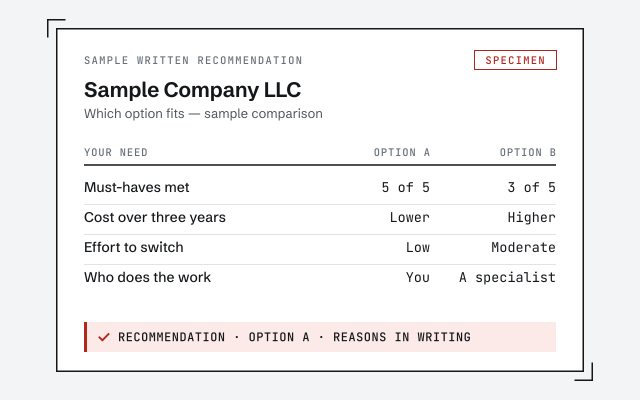
You do not have to take our word for it. Here is what you can check — a neutral recommendation you own, the method we use to prove a migration reconciled, and our response commitment.
The plain-language write-up of which product fits your must-haves and why, yours to keep whether or not you hire us.
How we prove a converted file reconciles to your Sage figures. Read exactly how.
Read the full methodA real specialist replies within one business day, in writing.
Remote-first, nationwide
Mon–Sat · 8am–6pm CT
We work entirely remote — a neutral read of your file and your needs, screen-share whenever you want to walk through the comparison, and every recommendation documented in writing.
Neither is universally better — it depends on how your business runs. QuickBooks wins on ubiquity, its app ecosystem, and how easily you can find help; Sage wins where accounting gets complex, especially multi-entity consolidation and dimensional reporting in Sage Intacct. The right product is the one that holds more of your genuine must-haves, not the one that is more popular.
Real things, and we will not pretend otherwise. Sage Intacct handles multi-entity consolidation, dimensional reporting, and GAAP-heavy accounting more natively than QuickBooks does, which is why complex and larger organizations often choose it. Sage 50 also carries deep, mature inventory and job-costing tools from its long desktop history. If those needs are central to you, Sage may genuinely be the better fit.
Only if the move solves a real problem — you want a bigger app ecosystem, easier day-to-day use, or simply more bookkeepers who know your software — rather than for its own sake. If Sage still does everything you need and your reporting depends on features QuickBooks does not match, staying is a legitimate choice, and we will tell you so plainly.
Yes. When QuickBooks is the right home for your books, we move lists, balances, and history and then prove the converted file reconciles back to the Sage figures before you rely on it. The reconciliation, not the data transfer, is the part that actually protects you, and it is covered on our Sage to QuickBooks migration page.
No — we are QuickBooks specialists, and we are honest about that boundary. We do not keep books in Sage. What we can do is give you a straight read on whether QuickBooks fits your business, and, if it does, migrate you and keep your QuickBooks file reconciled. If Sage is the better fit, we will say so and point you elsewhere.
For most small businesses, QuickBooks is more approachable, and — just as important — far more people know it, so help is easy to find. Sage Intacct is more powerful for complex accounting but has a steeper learning curve and a smaller pool of specialists. Ease of use is real, but weigh it against whether the simpler tool actually holds the features you depend on.
Weighing your options: the full comparison hub, the Sage to QuickBooks migration if you decide to move, or QuickBooks Online vs Desktop if the real question is which QuickBooks.